


Email Aqua Mail - Fast, Secure
4.47.22K Reviews
App Specs
- Version
- 2.6.1
- Updated On
- License
- Free
- Downloads
- 5,000,000+
- Developer
- Aqua Mail Inc
- Categories
- Business
- Platform
- Android
Screenshots
 Analysis by AppCompare
I use a mail app as a kind of front desk for my day: it needs to bring several inboxes together without making it hard to tell which account a message belongs to. That’s the practical promise of Email Aqua Mail, a free business email client from Aqua Mail Inc. It has been around since 2011, and its broad provider support makes it worth considering if your personal and work messages live in different places. My main reservation is that email is sensitive by nature, so I would judge any client not just by how quickly it gets me to a message, but by the controls I can see and the habits it encourages.
One inbox for a mixed account routine
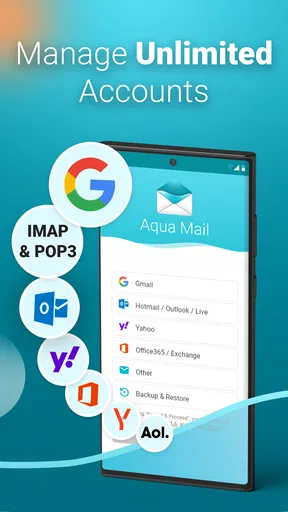
Aqua Mail is aimed at people who want to manage accounts from Gmail, Yahoo, Outlook, Hotmail, GMX, AOL, Office 365, or mail servers using IMAP and POP3 in one place. That range is useful when a job account and a personal address follow different rules, or when an older mailbox is still important. Rather than switching between separate provider apps, I can use one client as the place to check and respond to messages.
That convenience does not mean every account behaves identically. Mail providers can differ in folders, labels, authentication, and server-side rules, so I would test each account before relying on a combined setup for time-sensitive work. Start with the account you use most, send a test message, and check that replies and folder actions behave as expected. If the setup is smooth, add the less-used inboxes afterward; that makes it easier to spot which account is causing trouble if something looks out of place.
Trust starts with careful account choices
Its long-running presence and 4.4 average from around 193,000 ratings make it a widely used option, with over 5 million installs. Those figures can offer context about its reach, but they do not answer the most important personal question: whether its controls fit the way I handle private mail. I would treat the app as a capable email tool, not as a reason to stop thinking about account security or the sensitivity of a message.
Before connecting a work mailbox, I would check the organization’s rules. Some employers require a particular mail client or device-management setup, and a personally chosen app may not fit those requirements. The same caution applies to shared devices: a phone that other people can unlock changes the risk, even if the mail app itself offers a lock option. The useful habit is to match the app’s settings to the account and device, rather than assuming a client-level lock solves every privacy concern.
Controls worth checking before relying on it
The app offers a PIN or biometric lock, which can add a practical barrier when someone gets hold of an already-unlocked phone. I see that as a helpful layer for casual access, not a substitute for a secure device passcode or good account practices. I would also review notification previews. A discreet alert can still reveal a sender or message snippet on a lock screen, so adjusting what appears there matters if work or personal messages are private.
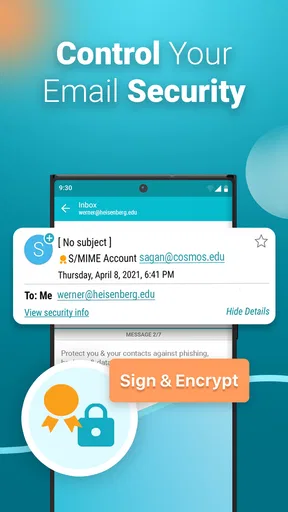
The description of the app highlights encryption and SSL support, but I would avoid treating those terms as a blanket guarantee for every part of email. Protection can depend on the provider, connection, recipient, and type of message. For a sensitive conversation, I would confirm that the account and recipient support the protection I need instead of assuming that using a particular client makes ordinary email confidential end to end.
Worth Reading Before You Choose

EA SPORTS FC Mobile 26 Is a Bigger Football Game, but It Takes Time

Flipboard Shows What News Apps Must Do Beyond the Feed

Switching to Android Auto Means Rethinking Your Driving Routine

Google Calendar Makes a Crowded Week Easier to Manage

Ludo King Makes the Most of the Minutes Between Plans

Baby Panda World Brings Quick Play to Modern Phones, but Its Game Library Feels Busy
Small habits that prevent account mix-ups
When several addresses sit together, the everyday risk is often a wrong-account reply rather than a dramatic security incident. I would make a habit of checking the sender address before sending anything personal or professional, especially when replying from a notification or moving quickly through a busy inbox. Distinct themes may make the app more comfortable to use, but visual customization should not replace that final check.
Notifications are another place where convenience and privacy meet. I would keep alerts focused on the accounts that need quick attention and use quieter settings for newsletters or low-priority mail. That reduces interruptions and makes important messages easier to notice. If an alert seems too revealing, changing its display is a better first step than turning off every notification and then missing a time-sensitive message.
The app is free to download, and it is rated for Everyone. Optional in-app purchases range from $1.99 to $199.99 per item, so I would check the purchase screen carefully before choosing any paid option and decide whether I actually need it. The current version is 1.57.1 and requires Android 7.0 or later. Aqua Mail Inc’s client has a 4.4 average from around 193,000 ratings and over 5 million installs, useful context for a mature app but not a substitute for trying it with your own accounts.
Where it fits—and where I would choose differently
Compared with using each provider’s own app, Aqua Mail’s appeal is having several supported accounts gathered in one client. A provider’s app may be a better fit if you depend on that service’s specific tools, account guidance, or organization-approved workflow. A browser can also be simpler for occasional access on a device where you do not want to add another mail client. I would choose Aqua Mail when switching between accounts is a regular task and a unified inbox saves effort; I would skip it if my organization requires a different setup or I only use one provider and prefer its native app.
For a realistic workday, imagine checking a personal Gmail account before leaving home, then handling a message sent to an Office 365 address between meetings. A single client can reduce the app-hopping, but I would pause before replying to confirm the active sender identity and avoid exposing a sensitive preview on a shared screen. That little check is especially worthwhile when several accounts are open together. Convenience is most useful when it does not make the boundaries between accounts blurry.
How I would make the first week useful
I would begin with one account, learn where its folders and sent messages appear, and try a harmless test reply. Then I would add another address and check whether the account identity stays obvious while composing. This is more useful than importing everything at once: if a setting or folder behaves differently than expected, there are fewer places to investigate. It also gives me a chance to decide whether a unified inbox actually suits my habits.
For day-to-day triage, swipe actions can speed up archiving, deleting, or marking a message as read. I would configure them conservatively at first. A fast gesture is helpful only if I can remember what it does, and an accidental archive can be frustrating when I am processing mail on a small screen. Search is another practical strength: when I need an old receipt or a specific conversation, searching is often quicker than manually opening folders. If I rely on a message for work, I would still check its account and folder rather than assume that a search result tells the whole story.
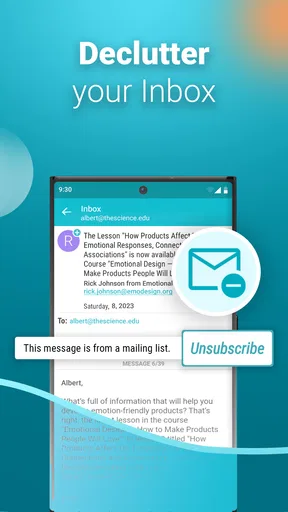
Filters, labels, and folders can help separate recurring mail from messages that need a personal response. One useful approach is to keep automated notices from crowding the same visual space as direct correspondence, while avoiding an overly elaborate system that takes more effort to maintain than it saves. A home-screen widget may suit someone who checks mail frequently, but it is not automatically the best choice for a privacy-conscious user: consider what information is visible at a glance and whether the device is often left where others can see it.
What I would watch for after setup
Multi-account support is valuable, but it also creates more settings to understand. If a message is missing, I would first check the correct account, its folders, and whether the provider’s own inbox shows the same thing. That comparison helps distinguish a client display or sync issue from a message that is not present in the mailbox. I would also send a test from each address before using it for an important deadline, since a successful login alone does not prove that the full send-and-reply routine matches my expectations.
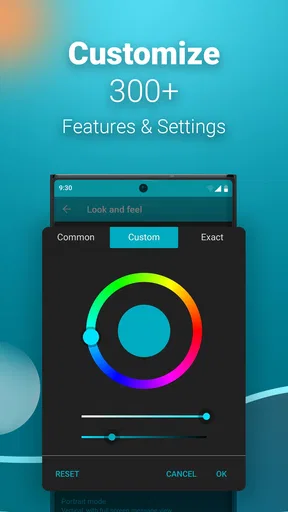
Customization is a genuine convenience, yet it can create its own maintenance burden. If I change themes, notification behavior, and swipe actions all at once, it becomes harder to know which change made the app feel better or worse. I would adjust one thing at a time and keep the choices that reduce friction. The app’s broad toolkit is most useful when it supports a simple routine rather than encouraging endless tweaking.
First Impressions and Setup
Installing Email Aqua Mail was a breeze. It’s available for both Android and iOS, so no one’s left out in the cold. As soon as you open the app, you’re greeted with a clean and intuitive interface. None of that cluttered mess that makes you want to toss your phone across the room.
Setting up my email accounts was a walk in the park. The app supports a wide range of email services, from Gmail and Yahoo to more niche providers. Just log in, and you’re good to go. It even supports IMAP, POP3, and Exchange, so it’s pretty versatile no matter what you’re using.
User Interface and Features
Let’s talk about the interface. It’s sleek and modern, with customizable themes. You can switch things up to match your style or mood. I’m a sucker for personalization, so this was a big win for me.
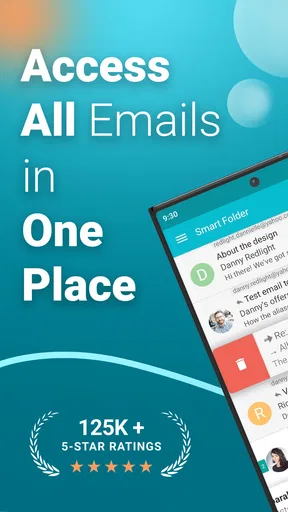
But what really stands out is the functionality. The app isn’t just a pretty face; it’s packed with features that make managing emails a breeze. You’ve got options to organize your inbox with labels, folders, and filters. Plus, there’s a handy widget for quick access on your home screen.
The search function is robust, which is a lifesaver when you’re trying to find that one email buried in a sea of others. And if you’re someone who likes to keep things neat and tidy, the swipe actions for archiving, deleting, or marking emails as read are super convenient.
Security and Privacy
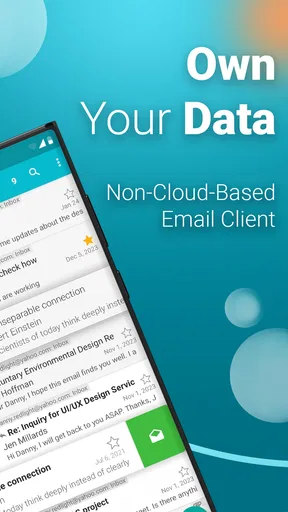
Now, onto something that’s on everyone’s mind these days—security. The app doesn’t skimp here. It offers end-to-end encryption and SSL support to keep your emails safe from prying eyes. I felt pretty secure knowing my data was being handled with care.
There’s also a nice touch with the app’s privacy features. You can set up a PIN or use biometric authentication to keep your emails locked down. It’s like having a little vault in your pocket.
Performance and Usability
Performance-wise, the app is a champ. It’s fast, reliable, and doesn’t lag, even with multiple accounts synced. I’ve had no issues with crashes or bugs, which is a huge relief. Nothing’s worse than an app that can’t keep up with your pace.
One of my favorite things is how the app handles notifications. You can customize them to your liking—whether you want a gentle nudge for every email or a full-on alert. It’s all about control, and this app delivers.
Final Thoughts
All in all, Email Aqua Mail has impressed me with its balance of simplicity and robust features. It’s a fantastic choice if you’re looking for an email client that’s both fast and secure. Whether you’re dealing with personal emails or managing work accounts, this app has you covered.
So, if you’re tired of your current email setup and want something fresh and efficient, give Email Aqua Mail a shot. You might just find it’s the upgrade you didn’t know you needed.
A cautious recommendation
I would recommend Aqua Mail to someone who regularly moves between supported mail accounts and wants one place to read, search, and sort messages. It is less compelling for a person who rarely checks email, relies on provider-specific tools, or has workplace rules about which clients can access company mail. In those cases, sticking with the provider’s own app or an approved work setup is the more sensible choice.
For me, the right way to approach it is to use its convenience without handing over judgment: review account settings, keep previews appropriate to the setting, and verify the sender before replying. Aqua Mail is a mature, flexible option for everyday email, but trust comes from matching its visible controls to the way I use my accounts. If that balance works for you, it is worth trying; if you need a tightly managed corporate workflow or only want the simplest route into one inbox, another option may fit better.
Pros
- Highly customizable interface.
- Supports multiple email accounts.
- Efficient email synchronization.
- Strong security features.
- Easy integration with cloud services.
Cons
- Occasional ads in free version.
- Limited features in free plan.
- Complex setup for beginners.
- No built-in calendar function.
- Some users report sync issues.
FAQs for Email Aqua Mail - Fast, Secure
What platforms does Aqua Mail support?
Aqua Mail is available for Android devices. It is designed to seamlessly integrate with various email providers such as Gmail, Yahoo Mail, Hotmail, and others. While primarily focused on Android, users might need to check compatibility with their specific device version.
How secure is Aqua Mail for handling emails?
Aqua Mail prioritizes security by offering end-to-end encryption and supporting SSL/TLS to safeguard your communication. The app does not store passwords on its servers, ensuring that your data remains confidential and protected from unauthorized access.
Can Aqua Mail handle multiple email accounts?
Yes, Aqua Mail is designed to manage multiple email accounts efficiently. Users can easily switch between accounts and keep their personal and professional emails organized within a single user interface, making it a versatile choice for busy users.
Does Aqua Mail support customization and integration with other apps?
Aqua Mail offers extensive customization options, allowing users to tweak the appearance and functionality to their liking. It also integrates with third-party apps like Tasker and various calendar apps to enhance productivity, making it adaptable to different workflows.
Is there a free version of Aqua Mail, and what are its limitations?
Aqua Mail offers a free version with basic functionalities. However, to access premium features like advanced security options, the removal of ads, and multiple account support, users need to upgrade to the Pro version. This ensures a more comprehensive email management experience.


